Every other AI planner
schedules your work.
This one schedules your life.
Career, health, learning, the people you love. Manage The Day holds every part of your life in one place — then builds the day that fits all of it.
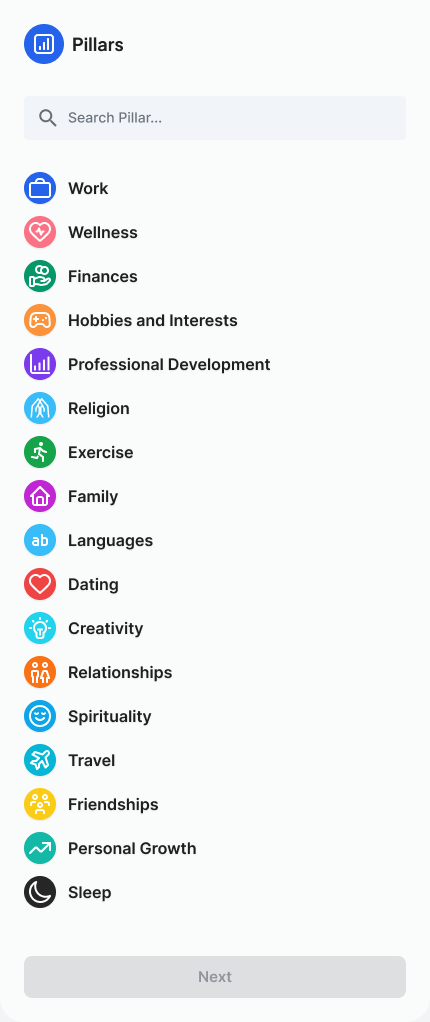
Career, health, learning, relationships. Your goals sit under the part of life they belong to — so progress in one never quietly costs you another.
Everything you owe anyone lands in one place, carrying the pillar it serves and how long it really takes.
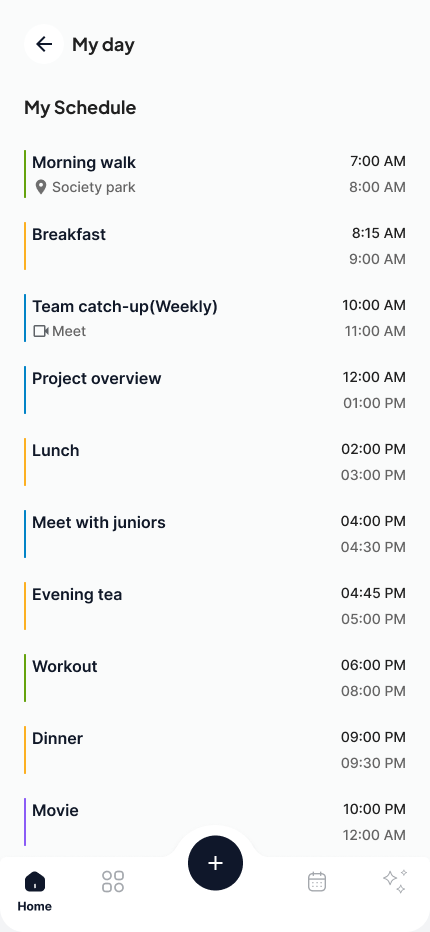
The AI reads your pillars, deadlines, and energy, then time-boxes the day around them — and reflows it when life moves.
Your tools think in tasks.
Your life thinks in pillars.
A task list can't tell you whether you've trained this week, called your mum, or learned anything at all.
The parts nobody schedules
Training, family, learning — none of it has a deadline, so all of it loses to whatever is loudest.
The week you meant to have
You planned six hours for your health and managed two. Nothing you use today would tell you.
You decide what matters.
In hours, not intentions.
Name the parts of life that count, commit real hours to each, then hang your goals and activities off them. Every day the AI builds answers to those numbers.
Goals you set once.
They track themselves.
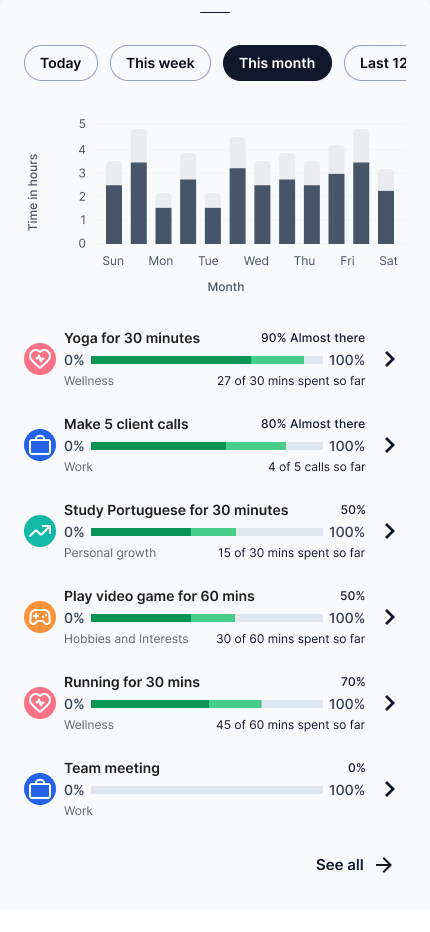
Every goal carries a real target under a real pillar. Finish the session and it counts — nothing to tick off, nothing to remember.
Twenty-five minutes. Six calls. A goal carries its own unit, so there is nothing to interpret later.
Daily, weekly, once or six times — set the rhythm and the AI books it from then on.
Every session you finish counts itself. Twenty-two of twenty-five minutes, with nothing logged by hand.
Each goal belongs to a part of your life, so progress is always progress at something you chose.
Everything you owe anyone. One place. Finally.
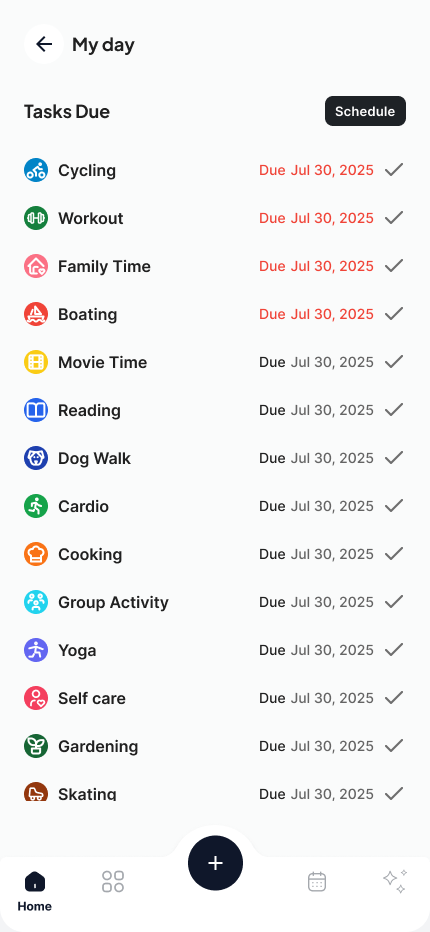
Every task carries the pillar it serves and how long it takes. That is all the AI needs to find it a place in the week.
- Today · 6:15 PMWorkout45mWellness
- Today · 7:15 AMWalk30mWellness
- UnscheduledStretchingNo durationWellness
- Today · 7:20 PMCooking40mHobbies
- UnscheduledMovie timeNo durationHobbies
- Today · 8:30 PMReading25mPersonal growth
- Thu · 7:05 AMYoga25mWellness
Nothing floats loose. Each task belongs to a life area, so the AI knows what it is protecting when it books the time.
Set how long it really takes. That number is what gets placed on the calendar — and what counts toward the pillar.
Anything with a slot shows as scheduled. The rest sit in the cloud until you or the AI find them a place.
Open any task and run it. The session logs against its pillar without you filing it anywhere.
Your whole day,
booked around your life.
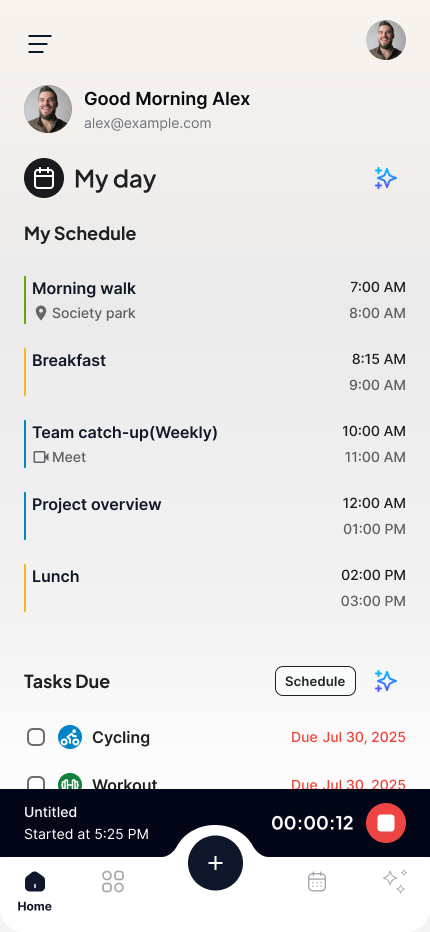
The AI takes what is unscheduled, respects what is already fixed, and books the rest against your pillar commitments. Move one thing and the day reflows around it.
Hours per pillar for the week. That is the target the day answers to.
Meetings and anything already scheduled keep their slot. The AI works around them.
Fragmented gaps get consolidated into focus blocks long enough to finish something.
A meeting shifts or a task runs long — the rest of the day rearranges itself.
Move a block in the app and it stays where you put it. The AI plans around your decision instead of overruling it.
Set the goal once.
Your watch does the checking.
Your watch already knows how you slept and what you moved. Manage The Day reads it and plans around your real capacity.
Last night's sleep reshapes today's plan before you open the app.
Rest badly and the day gets lighter. Recover well and it asks more of you.
Walks, workouts, and sleep log from the watch — straight onto the Wellness pillar.
The day runs itself.
Here's what runs it.
Three capabilities doing the work behind every plan it builds.
AI that runs the day
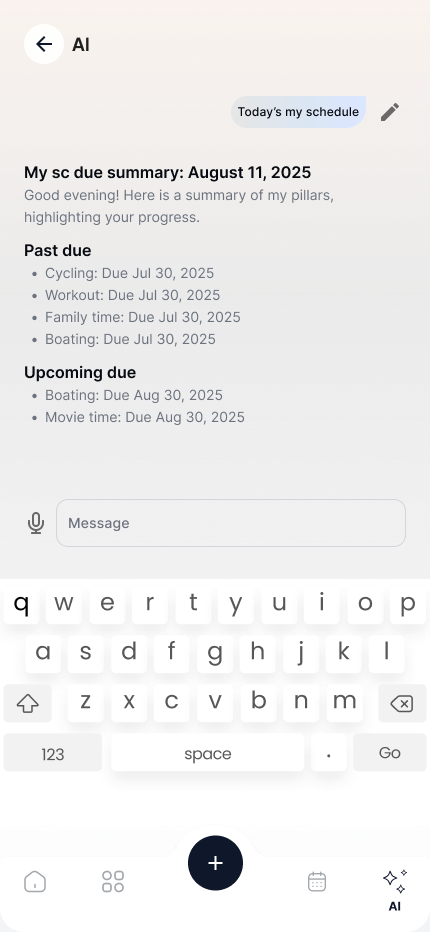
Ask for your day in plain English. It reads your pillars, deadlines, and everything you're behind on, then answers.
Goals, activities, calendar
Goals sit under a pillar. Activities log their own sessions. Your real calendar merges with the work that never had a time.
Health and every device
Your watch feeds sleep and recovery into the plan. Native on iPhone today, iPad and Mac this summer.
The day you
meant to have.
Every screen pulls in the same direction — pillars, goals, and activities held together by AI that quietly builds your day around them.
We're not going to
fake the testimonials.
We built the thing we needed ourselves. It plans our own weeks every morning, and it's good enough that we'd rather you judged it than read quotes we made up.
Try it for two weeks. If it doesn't hold your life better than what you use now, tell us why — we read every note.
Priced for one person
with a lot going on.
Pick the plan that matches the day you want. Cancel anytime.
Individual
For one person keeping a full life in order.
- Unlimited pillars, goals, activities
- AI day planner with pillar balancing
- Focus Mode with AI-recommended durations
- AI Time Boxing with adaptive rescheduling
- Task Cloud intelligence
- Apple HealthKit integration · energy-aware planning
- Calendar integrations
- Mobile + desktop apps
Team
For a team keeping one plan in view together.
- Everything in Individual
- Shared pillars and goals
- Workload balancing across the group
- Admin controls + SSO
- Dedicated success partner
- Priority support
Both plans start with a 14-day free trial — no credit card to begin, cancel in one click. Team is billed per user.
Plan your day around
the life you actually want.
Let the AI hold your pillars, your goals, your tasks, your energy — together — and just show up to do the work that matters.
Free for 14 days · No credit card · Cancel in one click